A CRM where every lead stays on track
Keep leads and follow-ups in one place. We set up Bitrix24 or amoCRM (Kommo) around your sales process, connect website forms and email, and automate tasks and reports. Basic pipelines and lead sources are usually ready in a few days.
Your CRM captures
leads from every source
- Website forms
- Calls and phone systems
- Telegram
- Live chat
- Quizzes and landing pages
Every lead costs money.
So does a lost one.
You pay for ads, calls, and traffic. What matters next is whether each inquiry reaches a sales rep and turns into a completed sale. Here is where leads often slip through.
-
01
Leads get lost between channels
Calls, emails, messages, and website forms sit in separate systems. Some inquiries never reach a sales rep, even though you have already paid to attract them.
-
02
Sales reps forget about deals
Without tasks, reminders, or clear stages, customers wait and deals stall. The manager finds out after the customer has gone elsewhere.
-
03
Lead details never reach the deal
Staff copy website requests and emails by hand. Important details stay in an inbox while a sales rep works from an incomplete deal record.
-
04
You cannot see what is happening with sales
There is no clear pipeline, reporting, or analytics. You cannot see where deals stall, which channels bring leads, or how your reps are performing.
What CRM setup includes
From reviewing your sales process to helping your team use the system in daily work.
Process audit and system selection
We review how you sell and help you choose between Bitrix24 and amoCRM (Kommo). If you already use one, we review its setup before proposing changes.
Pipelines, stages, fields, and permissions
We align deal stages with your process, configure fields and records, assign reps, and set access permissions.
Connecting your lead sources
We bring website inquiries, phone systems, email, WhatsApp, Telegram, and social media into your CRM. Every inquiry becomes a deal with its source recorded.
Automation and workflows
Automatic tasks, reminders, customer and manager notifications, and stage changes take routine work off your reps' minds.
Website and email leads
Website requests and emails reach the CRM with the customer details and source your sales team needs to follow up.
Team training and procedures
We show your team how to use the system, leave short instructions, and stay available while they move their work into the CRM.
A pipeline that shows the full picture
Every deal has a stage, value, owner, and next step. No more digging through messages or asking a rep for updates.
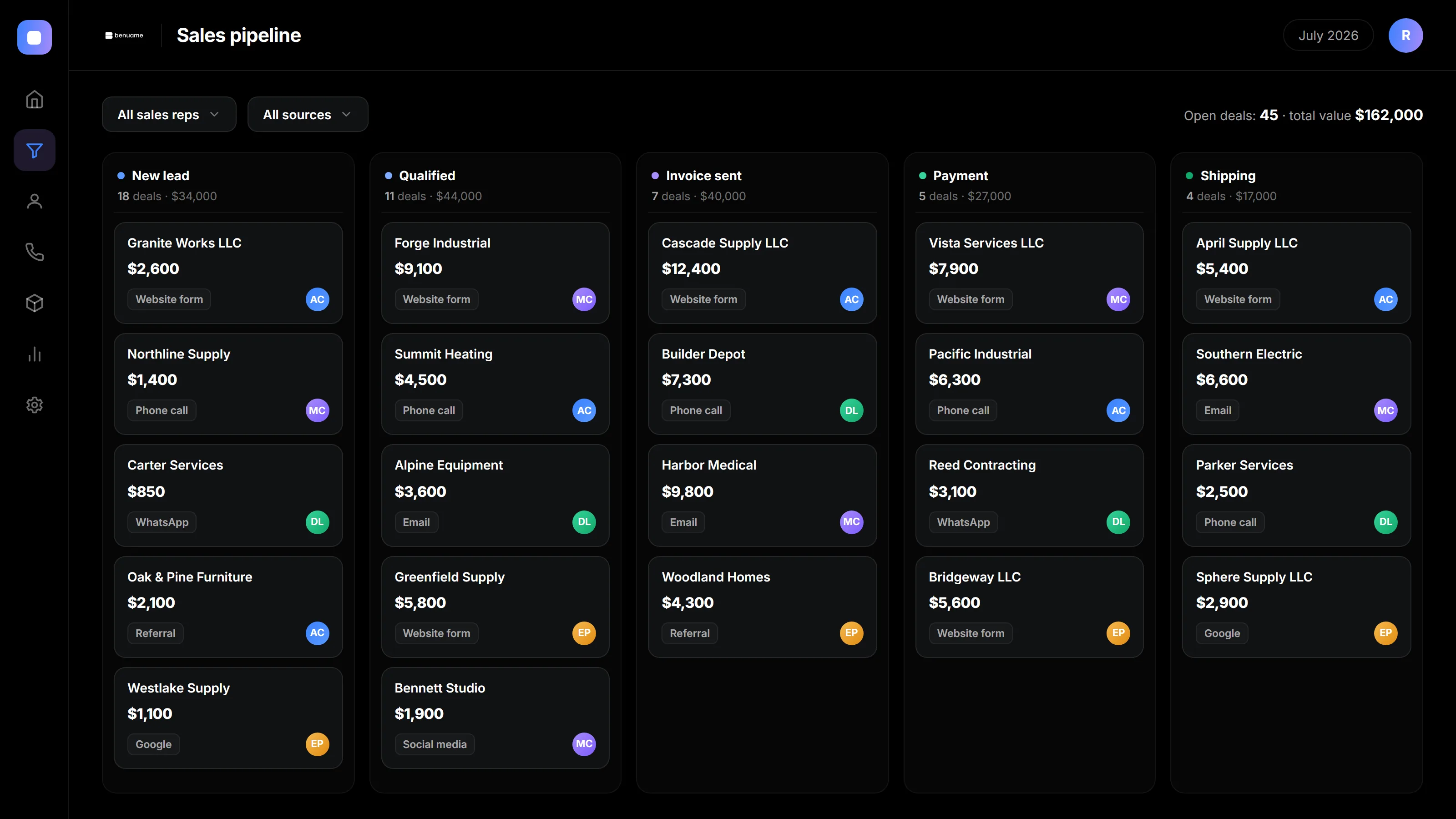
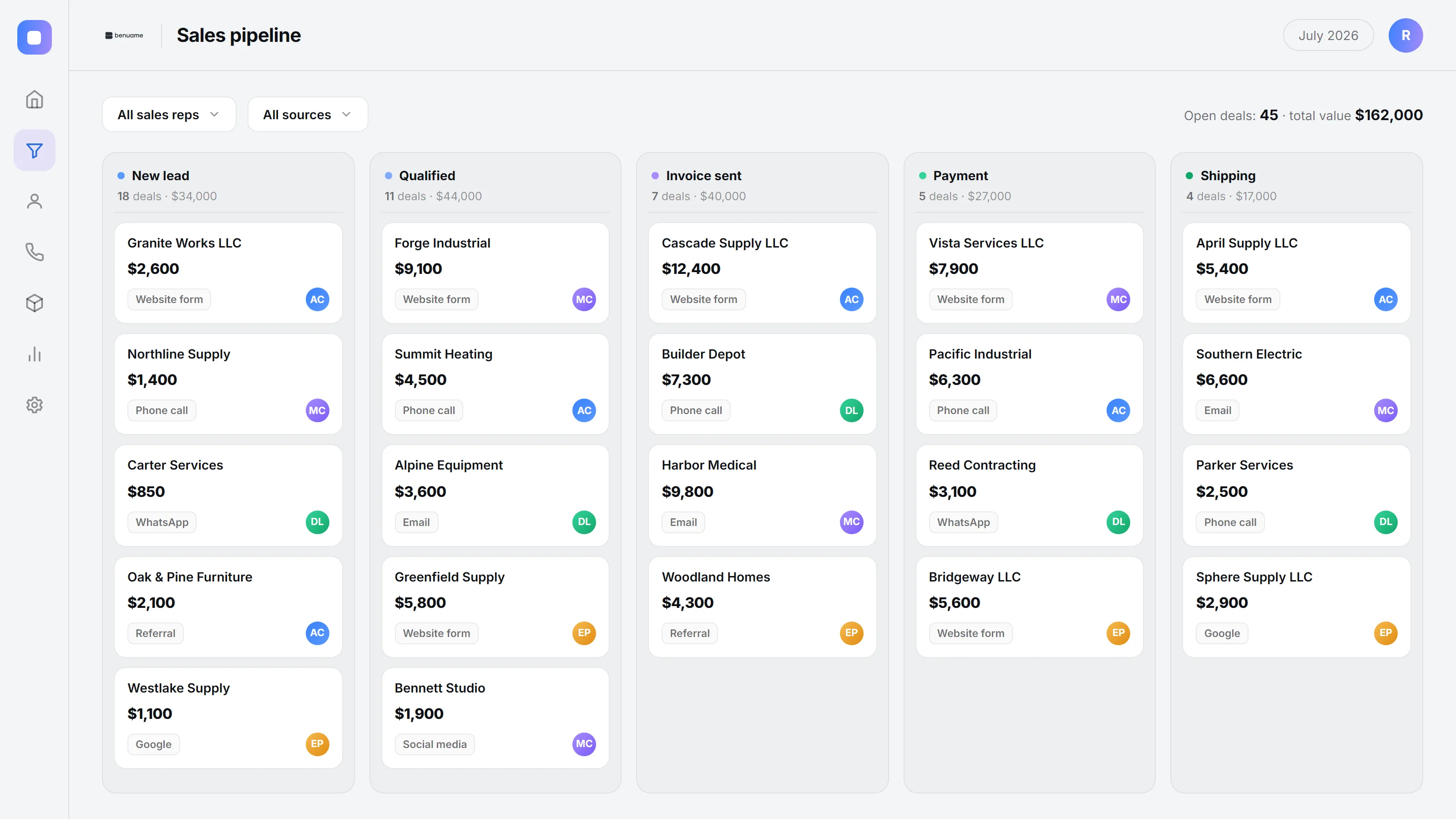
All companies, amounts, names, and contact details in the screenshots are fictional examples.
Bring website and email leads into your pipeline
A request should reach the person who can act on it. We connect your website and email to Bitrix24 or amoCRM (Kommo), with lead details, ownership, and follow-up tasks in the CRM.
CRM
Deals, customer records, stages, owners, and follow-up tasks
Website and email
Form submissions, incoming emails, contact details, and lead sources
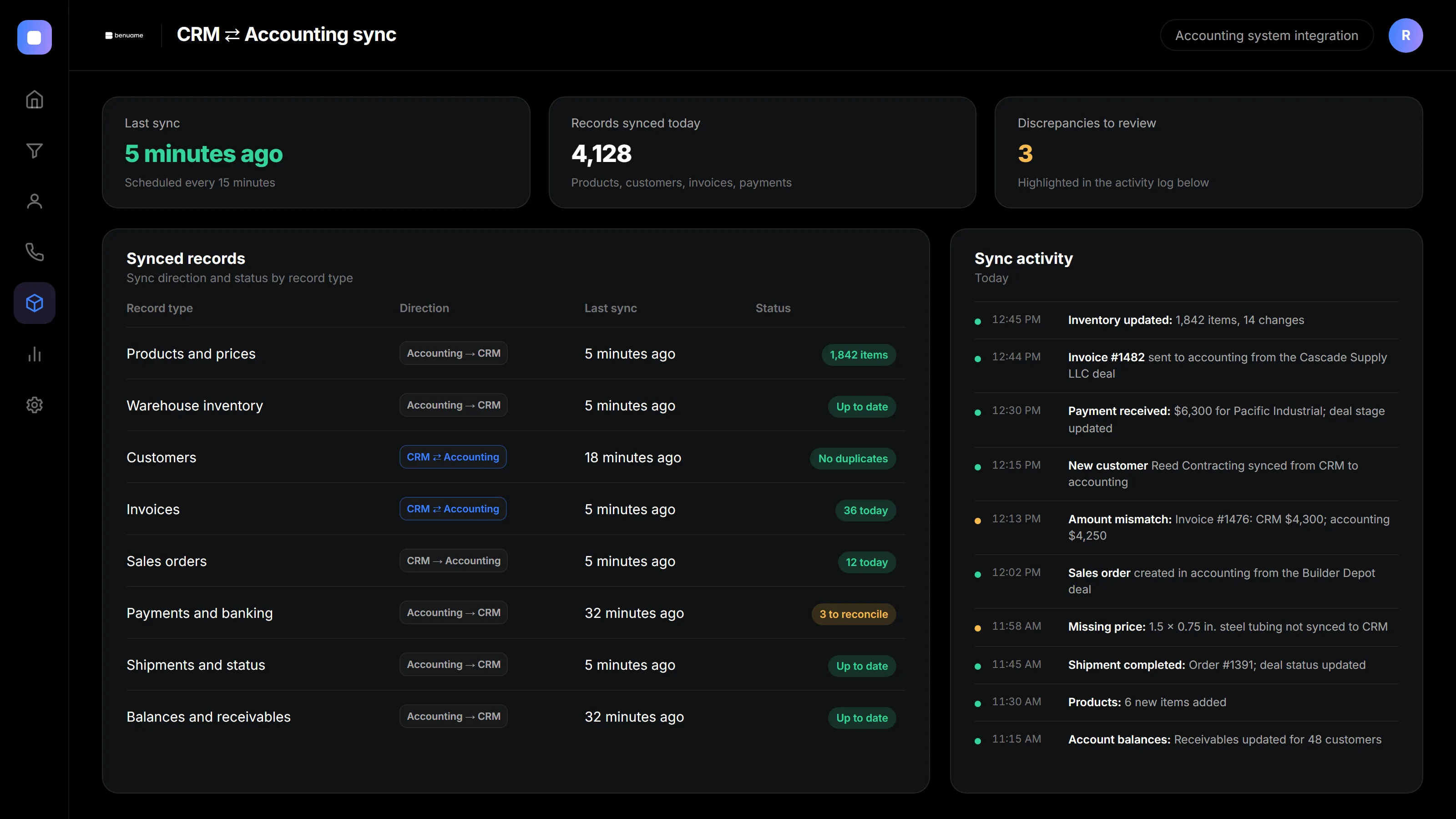
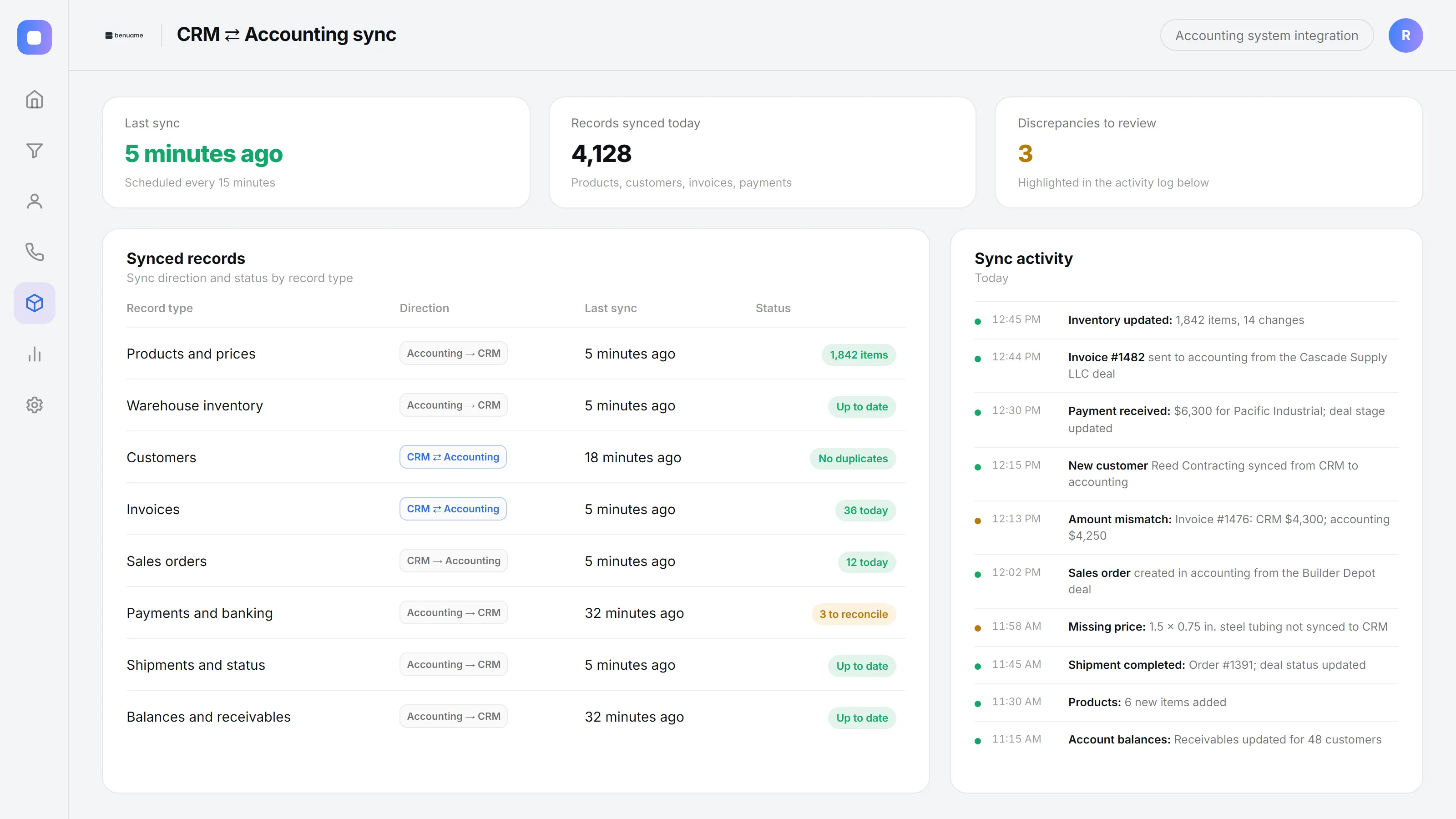
All companies, amounts, names, and contact details in the screenshots are fictional examples.
What your team works with
After setup, your team gets practical screens without unnecessary fields or unused sections.
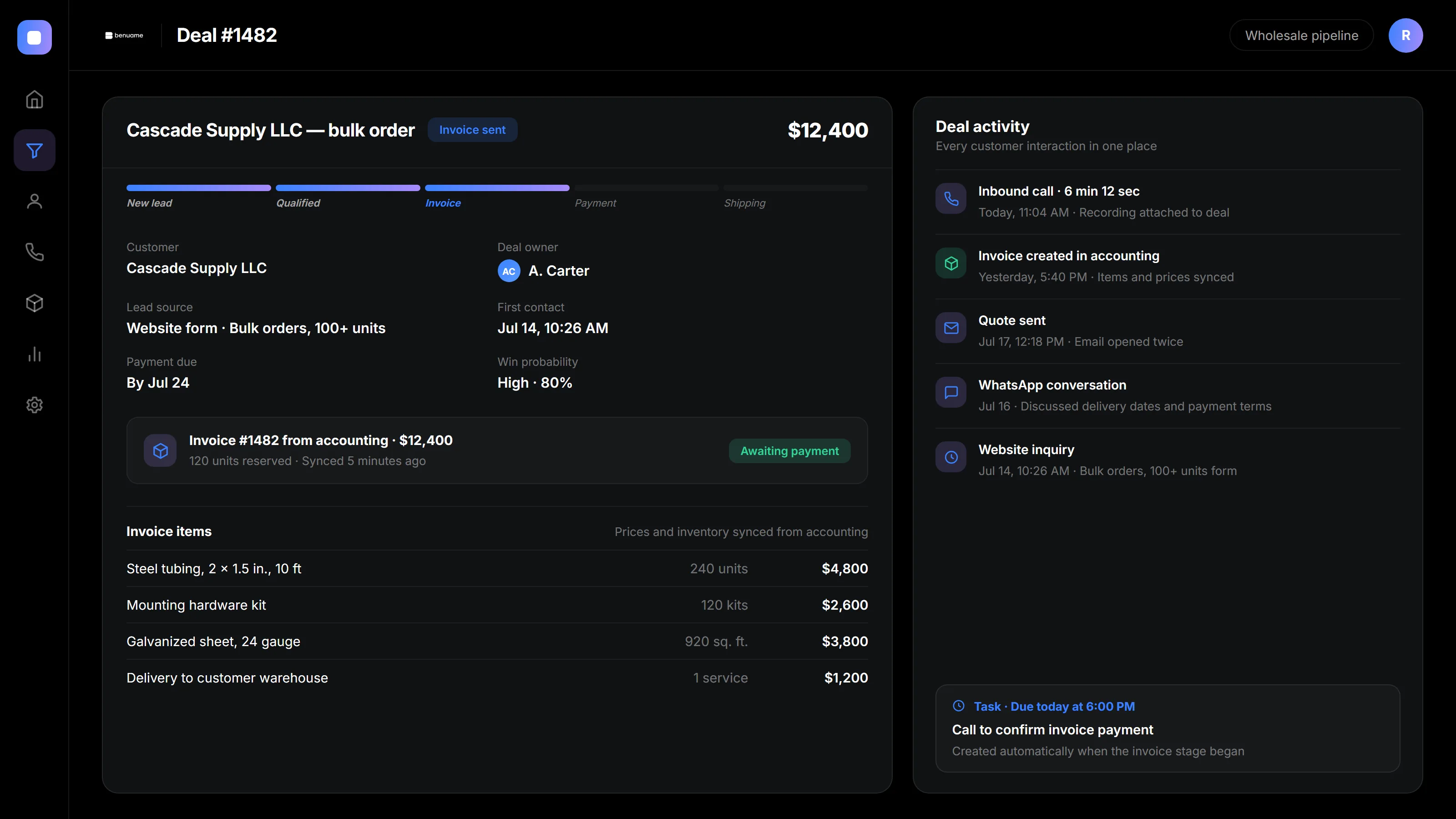
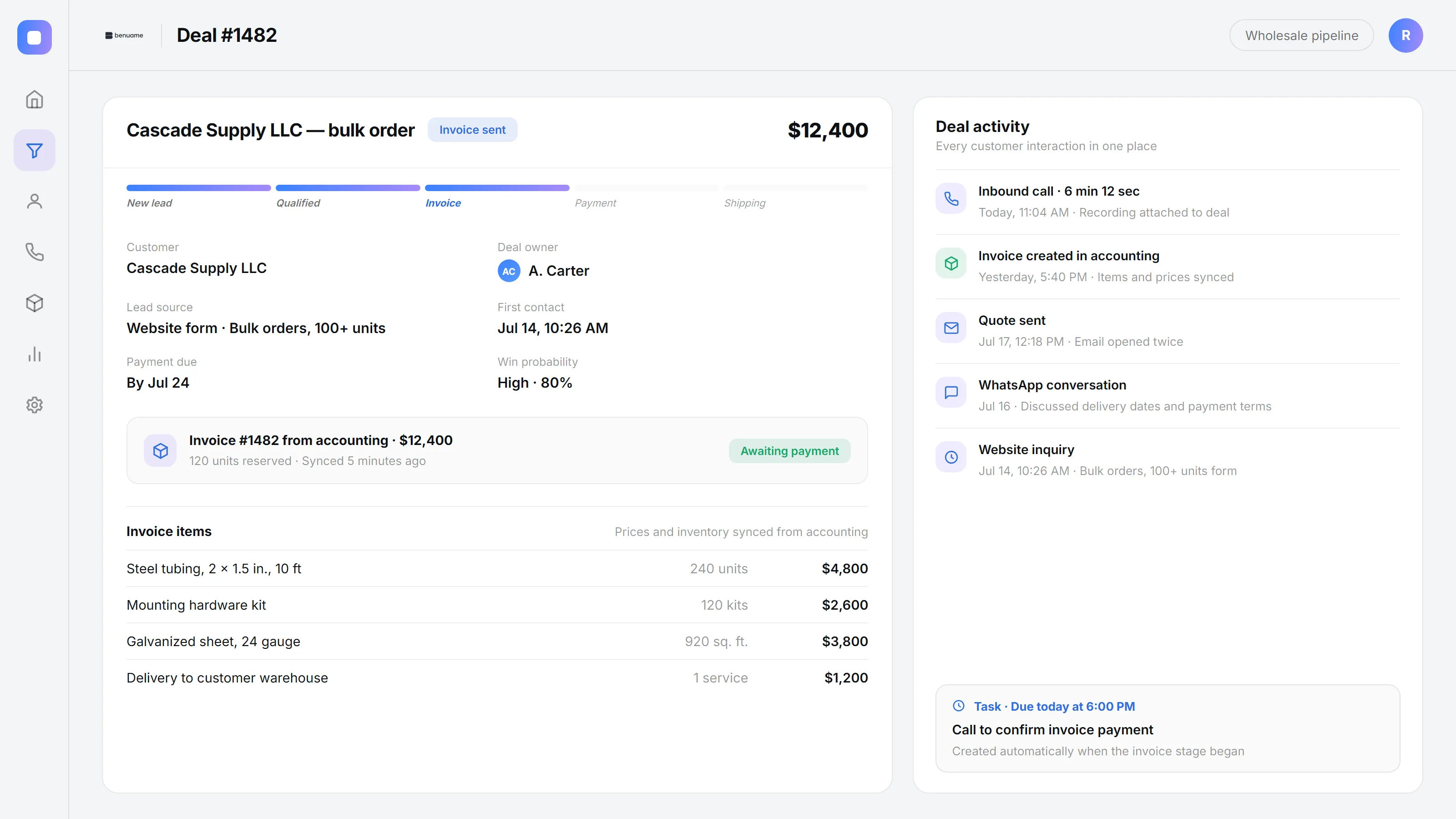
All companies, amounts, names, and contact details in the screenshots are fictional examples.
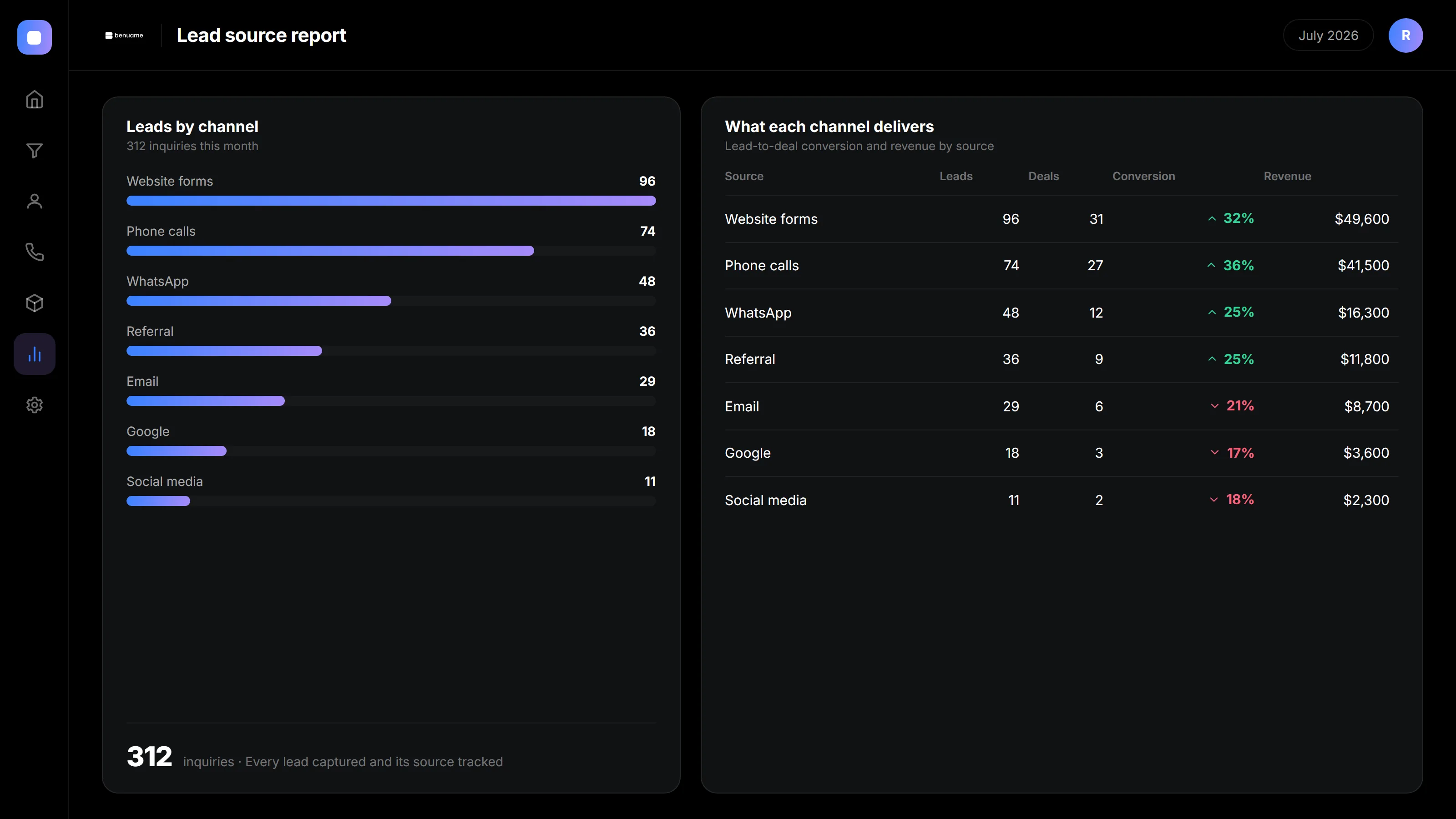
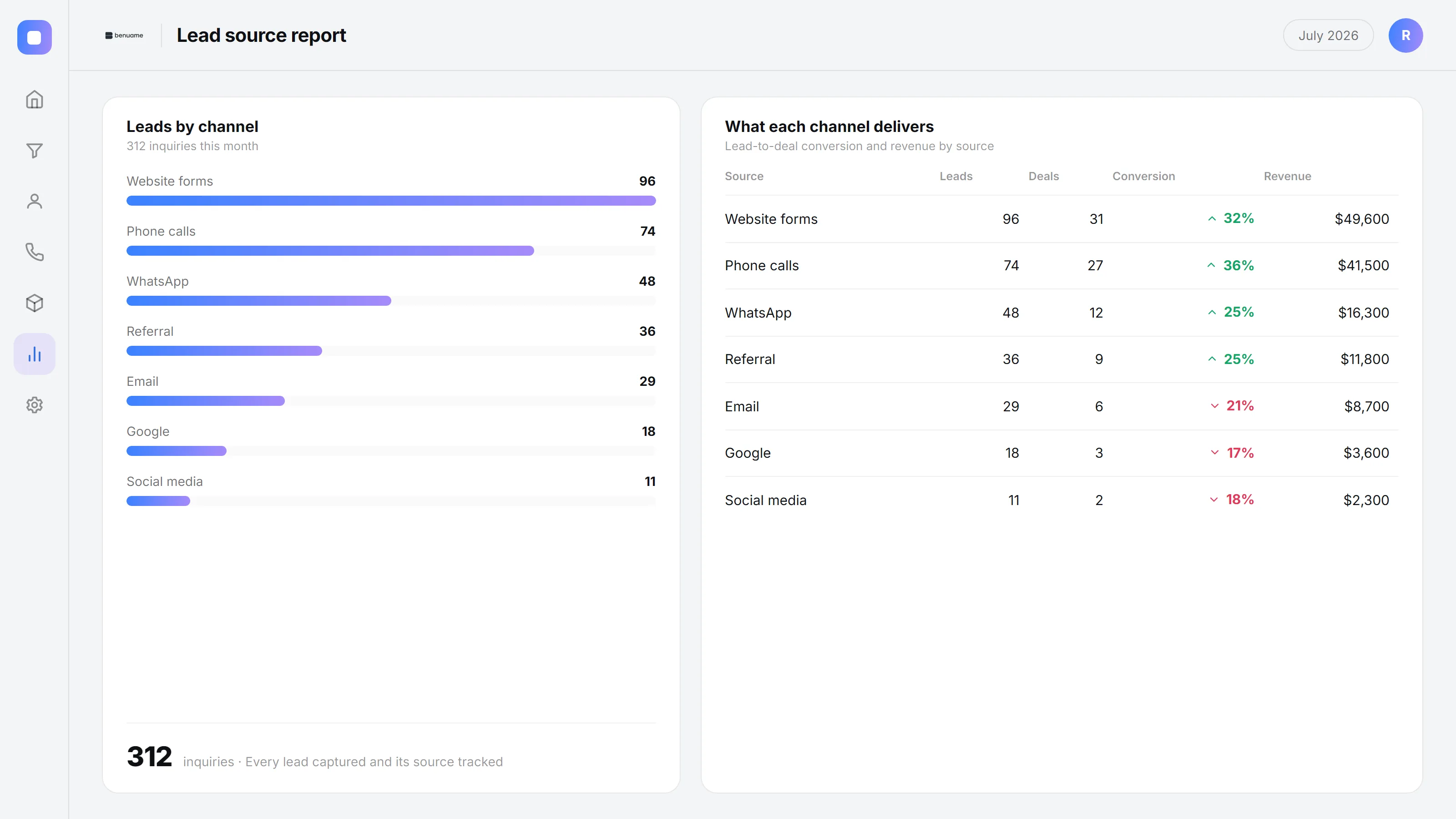
All companies, amounts, names, and contact details in the screenshots are fictional examples.
A CRM you own and a CRM you actually use
How implementation works
Sales process first, integrations second, automation third. This order helps your team adopt the system and use it consistently.
- 1
Free audit
We review your sales process and existing CRM through written communication. We document the goals and propose a solution, scope, and timeline.
- 2
Core CRM setup
We configure pipelines, fields, permissions, and records for your process. We agree on the logic before connecting integrations.
- 3
Integrations and sources
We connect your website, phone system, messaging, and email. We check that lead details reach the right CRM fields and records.
- 4
Automation
We add workflows, automatic tasks, and notifications to guide reps through deals and show the next step.
- 5
Training and launch
We train the team, move daily work into the CRM, and answer early questions using real deals.
- 6
Ongoing support
We stay available to adjust the system as you grow and add pipelines and reports when new needs arise.
Who it is for
Sales teams
Teams with leads from several channels that need to track every inquiry and follow each deal through.
Retail and wholesale businesses
Stores, wholesalers, and manufacturers that need to track customer inquiries, deal stages, and sales follow-ups in one place.
Service businesses
Businesses with appointments and repeat customers. Your CRM tracks the customer from inquiry to sale and helps bring them back.
Businesses with an existing CRM
If you bought a system but your team still works in chats, we organize it and make it practical to use.
How much it costs
Pricing depends on the CRM, number of users, integrations, and depth of automation. We start with a free audit and provide a clear estimate and timeline.
Get an exact quoteCommon questions
It depends on your process. amoCRM (Kommo) focuses on sales and a straightforward pipeline. Bitrix24 also supports tasks, documents, and cross-team collaboration. We review your needs during the audit and explain our recommendation.
Yes, this is common. We audit the current setup and find out why it has not worked, often due to a poor pipeline, missing integrations, or unclear procedures. Then we put it into working order without rebuilding unnecessarily.
We define how incoming leads match customer records and test those rules before launch. The goal is to keep related inquiries together without creating unnecessary duplicate records.
Yes. We review your current Bitrix24 or amoCRM (Kommo) configuration before defining the work. If it has been customized, we assess the existing fields, workflows, and connections first.
Basic pipelines and lead sources are usually ready in a few days. More involved connections and deeper automation take longer. We confirm the scope and timeline after the audit.
We set permissions so reps see only their deals and management controls database exports. You retain access to your systems.
Ready to organize your CRM?
Free audit: we review your sales process, show what to configure first, and provide an estimate. No obligation.
Send a request